- Custody Model: 100% Self-custodial (Local encryption)
- Network Support: 50+ Cosmos SDK and IBC chains
- Transaction Fee: $0.00 (Only native network gas)
- Security Audits: Verified by Halborn and Sayfer
- Regulatory Status: Non-MSB (No KYC required)
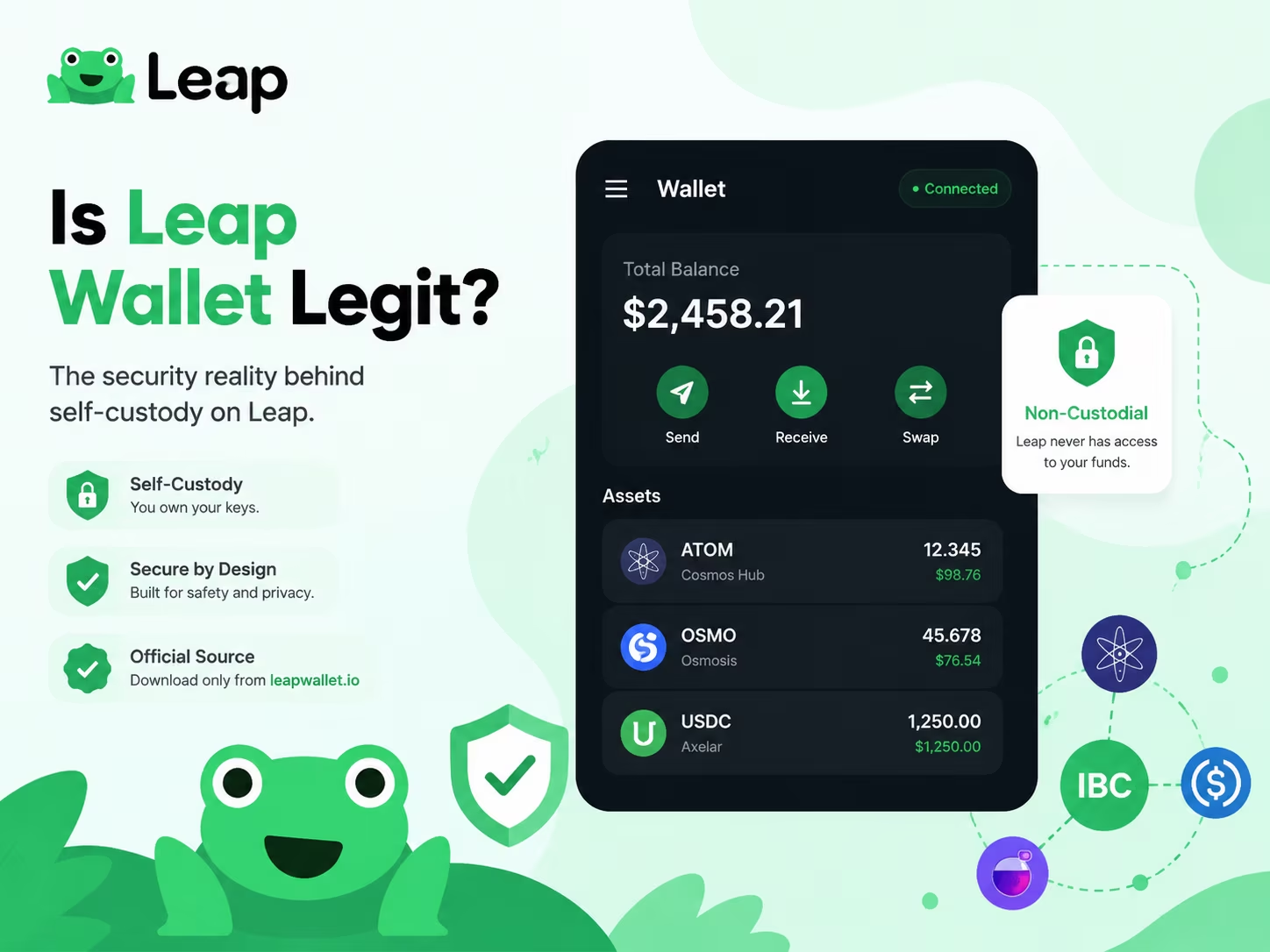
Leap Wallet is a legitimate non-custodial gateway for the Cosmos ecosystem, ensuring that you retain absolute control over your private keys and digital assets at all times. The software operates as a neutral interface, meaning no central authority can freeze your funds. However, your safety depends entirely on using official download sources and securing your recovery phrase against physical or digital theft.
How Leap Wallet Fits the Non-Custodial Wallet Model
You own the keys, you own the funds — Leap Wallet is built on exactly that principle, with no third party touching your assets at any point. When you set up Leap, a unique 12- or 24-word recovery phrase generates locally, right on your device. That phrase is your master key. It derives every private key for every address you control across 200+ supported blockchains. Leap never sees it, never stores it, has zero server-side access to your funds. Not a marketing claim. Architecture.
Private keys stay on your device, encrypted with AES-256 and locked behind a password you choose. Want hardware-level isolation? Leap supports Ledger devices, keeping keys entirely off any internet-connected machine. As confirmed by Babylon Labs, Leap operates as a non-custodial multi-chain wallet with user-controlled private keys and local recovery phrase management — the security model holds whether you’re running the browser extension, the iOS or Android app, or the web dashboard. The key management code has been independently audited by Halborn, SCV, and Sayfer. External teams stress-tested the implementation. Not an internal rubber stamp.
Self-custody changes the trust equation completely. With a custodial service, you’re trusting a company to hold your assets and grant you access whenever they feel like it. With Leap, that dependency vanishes — but so does the safety net. Lose your recovery phrase? No support team on earth recovers your wallet. Weak password on a compromised device? Your funds are gone. This is the real trade-off: full control demands full responsibility. The practical steps aren’t complicated — write your recovery phrase on paper, store it offline somewhere genuinely secure, never share it digitally, and use a strong unique password for the wallet itself. Simple. Non-negotiable.
For anyone navigating the Cosmos ecosystem and multi-chain DeFi right now, this model carries real weight. Onchain environments keep growing more complex, regulatory pressure on custodial platforms keeps mounting, and holding your own keys has shifted from ideological stance to concrete strategic advantage. As a non-custodial Cosmos wallet, Leap gives you direct access to your assets across chains — no intermediary, no permission required. The audits, the encryption standard, the local key generation: that’s the infrastructure behind the promise. Understand it before you trust any wallet with real funds.
Legitimacy Signals vs Red Flags When Checking Leap Wallet
Verifying your wallet’s authenticity is the first step toward securing your assets in the 2026 on-chain environment. Scammers use sophisticated phishing domains and lookalike apps to bypass standard checks, so you must rely on verified developer signatures and official distribution channels. Use this comparison to distinguish a legitimate Leap Wallet review and installation from high-risk fraudulent clones.
| Feature / Signal | Legitimate Wallet | Red Flags (Scam) |
|---|---|---|
| Download Source | Official App Store / Google Play | Third-party APKs or direct links |
| Key Management | Non-custodial (You own keys) | Requests seed phrase via website |
| Security Tools | Built-in Security Scanner | No risk alerts or warnings |
| Authentication | Biometric / Passcode enabled | Suspicious permission requests |
| Verification | Ecosystem trust badges | Unsolicited offers / Phishing ads |
| Transaction Safety | Verified developer name | Address poisoning (lookalike addresses) |
Why Official Sources Matter Before You Download
The single most effective thing you can do before installing any wallet app is confirm you’re downloading from the Leap Wallet official website — everything else comes after that. Fake wallet clones have flooded third-party app stores, phishing domains, and social media ads. They’re built to be indistinguishable from the real thing — same icon, same UI screenshots, same name — but the moment you type your recovery phrase, it’s gone. Source verification before installation isn’t optional. It’s the whole game.
When you download a wallet from an official source, run three checks in sequence. First, confirm the domain: the legitimate Leap Wallet URL can be cross-referenced against the project’s verified social accounts and documentation — don’t guess, look it up. Second, check the publisher name in the app store listing. It should match the verified developer identity exactly, not some lookalike string with a swapped character or odd capitalization. Third, look at install count and review history. A wallet with millions of active users carries a long, dense review trail built over time. A clone? Thin reviews, suspiciously recent, nothing that goes back more than a few weeks. These three checks take under two minutes and cut out the vast majority of fake app risk. For a deeper look at how the product actually works on-chain, the Leap Wallet features guide breaks down the core functionality in detail.
Publisher verification matters far more than most users expect. App stores don’t guarantee legitimacy — they rely on automated scanning and user reports, both of which lag badly behind reality. A malicious wallet clone can sit live in a store for days, sometimes weeks, before anyone pulls it. This is exactly why your verification chain has to start from official project channels — the verified Twitter/X account, the official documentation site, the GitHub repository — and flow outward toward the store listing. Not the other way around. If you find the app in a store first and then try to confirm it afterward, you’re working backward through a system specifically engineered to fool you.
Safe device habits are what hold the whole structure together. Installing a wallet on a device running cracked software, unverified browser extensions, or apps from random sources blows your attack surface wide open — no matter how carefully you verified the wallet itself. Clipboard hijacking and screen-capture malware are still very much active threats in the Web3 space. Keep your wallet device clean. Update your OS. And treat your recovery phrase like a physical secret: write it down offline, lock it somewhere secure, and never — under any circumstances — enter it into a website or app that asks for it outside a verified local recovery flow. This wallet is non-custodial. That phrase is yours to protect. No support team can retrieve it for you, because no support team has it.
Recovery Phrase Safety Is the Core Trust Test
Your recovery phrase is the only thing standing between your crypto and everyone else — get this wrong once, and there is no second chance. Those 12 or 24 words generated when you first set up a non-custodial crypto wallet are not a password you can reset. They are the master key. Not the wallet app’s key. Not the dev team’s key. Yours. Anyone holding those words owns every asset in that wallet — across every device, right now, permanently.
The rule has no exceptions: never share your seed phrase with anyone. Not in a support chat. Not in a Telegram DM. Not in a Google Form asking you to «verify your wallet,» not in a browser pop-up claiming your account needs recovery. Real wallet teams never ask for your phrase. Full stop. If something or someone does ask for it, that is not a technical glitch — that is a scam, running a script designed specifically to make you feel like you’re getting help while you hand over everything. Phishing attacks targeting Web3 users have grown dramatically more sophisticated: fake support bots, pixel-perfect cloned wallet interfaces, social engineering flows that feel eerily legitimate. The attack vector hasn’t changed at all. The packaging just got slicker.
As Forvis Mazars makes clear, no provider can recover a lost phrase in a non-custodial setup — and that’s not a flaw, it’s the entire point. The wallet software holds zero access to your keys by design. Which means your offline storage habits are not a backup plan. They are the only plan. Write your recovery phrase on paper. Store it in at least two physically separate locations. Never photograph it. Never type it into any device connected to the internet. A hardware-encrypted storage option adds meaningful protection if you’re holding serious value. The phrase should never appear in your email drafts, cloud notes, screenshots, or any messaging thread — ever.
Practical recovery phrase safety boils down to four habits. Run through them right now.
- Write it down and store it offline — not in a password manager, not in iCloud, not in a notes app. Paper. Physical. Separate locations.
- Verify you actually have the correct phrase before you ever need it in an emergency — use your wallet’s built-in verification tool while everything is still working fine.
- Treat every unsolicited «support» contact as a red flag by default — no legitimate team reaches out to you first asking for wallet details.
- Only install wallet apps from official sources — the official website or verified app store listings — and scrutinize every URL before you connect anything.
None of this is complicated. But these four habits are exactly the line between keeping your assets and losing them with absolutely no recourse.
How to Verify Leap Wallet Before Installing or Connecting
Verifying your wallet before installation is the only way to prevent seed phrase theft and unauthorized access to your assets. In the 2026 on-chain environment, automated drainers can empty a wallet in seconds, making these manual checks your primary line of defense.
- Confirm official links. Access the download page only through the official Leap Wallet website or verified social media profiles. Avoid clicking on sponsored search results in Google or links from direct messages, as these are common vectors for phishing clones.
- Check store metrics. Before hitting install in the Chrome Web Store or mobile app store, verify the developer name, the number of downloads, and the date of the last update. A legitimate wallet will have a high user count and a consistent history of maintenance.
- Inspect requested permissions. During installation, review what data the extension wants to access. A non-custodial wallet should not ask for permissions unrelated to browser interaction or blockchain connectivity.
- Verify connection prompts. When connecting to a dApp, the pop-up must originate from the Leap extension itself. Check that the URL of the site requesting the connection matches the official domain of the service you intend to use.
- Review transaction details. Never «blind sign» a request. Before approving any interaction, read the raw data or the human-readable summary provided by the wallet to ensure you are not granting an unlimited spending allowance to an unknown contract.
- Test with a small amount. If you are interacting with a new protocol for the first time, send a minimal test transaction. This confirms the destination is correct and the smart contract behaves as expected before you commit significant capital.
Connect your wallet
To manage your assets across supported blockchain ecosystems and interact with Web3 dApps securely, use the local Leap Wallet connection flow.
Connect WalletTypical Costs Users May See in a Legitimate Non-Custodial Wallet
Understanding the cost structure of a non-custodial wallet is essential for secure crypto wallet use. Legitimate tools do not charge for access; instead, you pay for the resources you consume on the blockchain. When you read a Leap Wallet review, you will notice that the primary expenses are driven by network activity and third-party services rather than the application itself.
| Cost Category | Typical Range / Fee | Recipient |
|---|---|---|
| Installation & Setup | $0 (Free) | User |
| Network Gas Fees | Variable (Market-based) | Blockchain Miners/Validators |
| In-App Swaps | 0.1% – 0.5% | DEX Aggregators / Protocols |
| Staking Commissions | 0% – 10% of rewards | Network Validators |
Data Source: Scand — Confirms non-custodial wallets have only standard blockchain network fees, no hidden platform commissions.
Expert View on Wallet Trust and Installation Hygiene
One rule cuts through all the noise on wallet verification: install only from the official source, and confirm that source before your finger hits «download.» Leap Wallet lives on its official website, the Chrome Web Store, and the major mobile app stores — and every single one of those channels carries its own verification layer. Check the developer name. Count the reviews. Look at the update history. A wallet with thousands of active users and a steady release cadence signals a product that’s alive and maintained. A cloned app? It almost always betrays itself — thin review count, a developer name that’s slightly off, a publish date that appeared out of nowhere last Tuesday.
Every serious security professional will tell you the same thing: audited software is the floor, not the ceiling. Leap Wallet runs as a non-custodial wallet, meaning your recovery phrase is the one and only key to your funds. The team never holds it. No server ever stores it. That architecture puts full responsibility on you — which is precisely why installation hygiene isn’t a suggestion. Before you set up any wallet, your device needs updated OS software, zero sideloaded unknowns, and no shared user access. These aren’t optional courtesies. They’re the foundation everything else rests on. As KuCoin Blog makes clear in its security-focused Leap Wallet coverage, understanding exactly how a wallet handles keys and permissions is how you figure out whether it actually fits your risk profile.
For larger holdings, the expert consensus is blunt: browser extensions and mobile apps alone won’t cut it. Pair your hot wallet with a hardware signing device for any position worth protecting. Leap Wallet supports hardware wallet connections — you get the clean interface while your private keys stay completely air-gapped. Hot wallet for daily activity. Hardware wallet for signing anything that matters. That layered approach has become the standard that serious Web3 users and institutional participants have converged on, and the tools to execute it have never been more accessible. The threat surface has grown more complex. The excuses for ignoring it have not.
The practical checklist is short but non-negotiable. Verify the source before installing. Confirm the developer identity matches the official project exactly. Write your recovery phrase on paper — physical paper — and store it offline in at least two separate locations. Never, under any circumstances, type it into a website or app that asks for it. Scale up your signing protection as your holdings grow. Wallet verification isn’t a one-time box you check. It’s a habit you build. Phishing sites, fake extensions, and social engineering attacks have grown sharper and more convincing, not less. Staying safe means staying deliberate: slow down before you install, before you connect, and especially before you sign anything you don’t fully understand.
Regulatory Context: Why Non-Custodial Wallets Are Different
Leap Wallet belongs to a regulatory category that makes the usual «is it legit?» question almost the wrong question entirely — because non-custodial wallets don’t hold your money, and that changes everything. Custodial platforms sit on your private keys, which drags them into the world of financial regulation: KYC requirements, asset custody rules, broker-dealer compliance. Leap never touches your keys. Full stop. It’s software that lets your device sign transactions directly — a structural reality, not a branding angle.
The U.S. Securities and Exchange Commission has drawn a clear legal line between neutral non-custodial wallet software and regulated broker-dealer activity. For you, the practical implication is blunt: when you use a non-custodial Cosmos wallet, no company is sitting between you and the blockchain. No one processes your withdrawals. No one holds your funds. The wallet is a tool — closer to a calculator than a bank. Which means the trust model flips completely. You’re not trusting a corporation to safeguard your balance. You’re trusting open-source code to execute your instructions correctly.
That shift in responsibility is real. Brutally real. Because no third party controls your assets, your recovery phrase carries the entire weight of your financial security. Lose it — no support ticket brings your funds back. Share it with anyone, under any circumstances — your wallet gets drained, instantly. In 2026, phishing attacks have grown sharper and more convincing, and fake wallet apps surface in app stores with alarming regularity. So verifying your download source isn’t optional hygiene — it’s the first non-negotiable step. Use only the official Leap Wallet website, the verified Chrome Web Store listing, or confirmed app store pages. Beyond that: never run a wallet on shared or public hardware, keep your operating system patched, and treat any website or form asking for your seed phrase as an immediate red flag.
Regulatory neutrality doesn’t mean zero accountability. It means accountability lives with you — and with the code. Non-custodial wallet software is auditable. Transactions are on-chain and transparent. The development team behind a legitimate product is publicly identifiable. That combination — open code, verifiable on-chain history, known developers — is precisely what makes a wallet trustworthy in the Web3 context. When you’re evaluating any wallet’s legitimacy, those are the factors that carry actual weight. A banking license was never the point.
Common Scam Risks Users Should Watch For
Before you install or connect anything, run a Leap Wallet scam check — because in 2026, fake wallet apps aren’t a fringe problem, they’re a daily threat. Cloned browser extensions and lookalike sites targeting Cosmos and IBC users have multiplied fast, and most of them are built to be indistinguishable from the real thing. The attack vector is brutally simple: you search for a wallet, land on a cloned page, install a fake extension, and the moment you type your recovery phrase — it’s gone. No sophisticated exploit required. Just a convincing UI and one unguarded moment.
Fake extensions are the sharpest edge of this problem right now. Scammers publish modified wallet clones on third-party stores or sneak them through official marketplaces before anyone flags them. They copy the interface, the branding, the entire onboarding flow — pixel for pixel. Your only reliable defense? Install exclusively from the official Leap Wallet website or the verified browser store listing, and manually cross-check the publisher name and extension ID before you click anything. A different developer name, a suspiciously low review count, a listing created last week — any of these should stop you cold. Walk away. You can review Leap Wallet features on the official blog to build a sharp mental picture of what the real product looks like, so the fakes become easier to spot.
Risky approval prompts are the second major threat — and the sneakiest. When you connect a wallet to a dApp, you see a permission screen. Scam sites engineer those screens to feel routine while quietly requesting unlimited token approvals or full asset access. As analysts at Forvis Mazars point out, self-custody environments put every ounce of risk management squarely on the user — no safety net, no recovery support if something goes sideways. Read every approval prompt like it costs you money. Check the contract address. Revoke anything you don’t recognize using a trusted on-chain tool. A familiar-looking UI is not a green light.
Cloned websites are the third layer — and they’re getting harder to catch. One swapped letter in a domain. An added hyphen. A different TLD. Fully functional fake sites that mirror the real product down to the footer. Always verify the URL yourself, bookmark the official site after your first confirmed visit, and treat every wallet-related link from social media, Telegram groups, or unsolicited DMs as suspect until proven otherwise. Your recovery phrase belongs nowhere except a verified, legitimate app. Think of it as the master key to everything you own on-chain: expose it once, and there’s no walking that back.
Conclusion
Leap Wallet is a legitimate non-custodial wallet — full stop — provided you access it through official channels and treat security as a daily habit, not a one-time checkbox. The wallet itself is a real, functioning product with genuine traction across Cosmos, EVM, and beyond. But here’s the uncomfortable truth: your safety has almost nothing to do with the product name and everything to do with what you do in the first five minutes of setup.
Three things determine whether your wallet stays safe. Where you got it. How you stored your recovery phrase. Whether you actually read transactions before signing them. Download only from the official Leap Wallet website or a verified app store listing — not from a link someone dropped in a Discord thread, not from a «helpful» Reddit comment. Write your seed phrase on paper. Physical paper. Store it somewhere offline, and never — not once — type it into any website or app that asks for it. Then, before you approve any transaction or connect to a new dApp, read what you’re actually authorizing. Phishing kits have gotten frighteningly good. Fake wallet clones circulate across app stores and social platforms with increasing sophistication. These habits aren’t advanced-user extras anymore. They’re the floor.
Non-custodial design means Leap never holds your keys. No centralized database of user funds sitting somewhere waiting to get breached. That’s a real advantage. The flip side is equally real: the responsibility lands entirely on you. Compromised device? Shared phrase? Approved a malicious contract without reading it? No support team on earth reverses that. This is the honest trade-off of self-custody — not a flaw, just the architecture. Keep your device updated. Use a dedicated browser profile for Web3 activity. For anything beyond everyday spending amounts, a hardware wallet isn’t paranoia; it’s just math.
The practical picture is straightforward: verify the source, guard the phrase like it’s cash in your hand, read before you sign, and treat any message that creates urgency or asks for credentials as a red flag by default. Leap Wallet hands you the tools. What you build with them — and how safely — is entirely yours to determine. That’s not a caveat. That’s exactly how self-custody is supposed to work, and understanding it already puts you ahead of the majority of people in this space.
Import your old wallet
Switch to a more efficient on-chain experience. Import your existing seed phrase to Leap and start managing your assets, staking, and dApp connections with a superior browser extension interface designed for 2026 security standards.
Connect WalletLeap Wallet Pillar Cluster
This support article answers the exact is Leap Wallet legit query and points readers to official-access and self-custody guidance.
Educational content only. Non-custodial wallet users are responsible for seed phrase backup, transaction review, dApp permissions, taxes, and network fees. Nothing here is financial, legal, or tax advice.
Frequently Asked Questions
Is Leap Wallet a legitimate wallet or a scam?
Leap Wallet is a legitimate non-custodial wallet with independently audited key management code reviewed by Halborn, SCV, and Sayfer. Its legitimacy depends entirely on where you download it — always use the official website or a verified app store listing, never a third-party link or APK.
Does Leap Wallet ever store or access my recovery phrase?
No. Leap Wallet is non-custodial by design, meaning your recovery phrase and private keys are generated and stored exclusively on your local device. The development team has zero server-side access to your keys or funds at any point.
What are the actual fees for using Leap Wallet?
The wallet itself is completely free to install and use. The only costs you encounter are network gas fees paid to blockchain validators (typically under $0.05 on Cosmos IBC chains), swap fees of 0.1%–0.5% collected by DEX aggregators, and staking commissions of 0%–10% taken from rewards by validators.
How do I verify I am installing the real Leap Wallet and not a fake clone?
Download only from the official Leap Wallet website or verified app store listings, then confirm the exact developer name, check the install count and review history, and inspect the extension ID in the Chrome Web Store. Any mismatch in the publisher name, a suspiciously low review count, or a very recent publish date are immediate red flags.
What should I do if I lose my Leap Wallet recovery phrase?
There is no recovery option — no support team, no backdoor, and no administrative override exists in a non-custodial wallet. This is why you must write your recovery phrase on physical paper and store it in at least two separate offline locations before you ever fund the wallet.
Crypto Wallet Research and Product Education
Leap Wallet Editorial Team
The Leap Wallet editorial team reviews wallet setup flows, self-custody risks, staking workflows, dApp permissions, and multi-chain asset management patterns for educational Web3 guides.
Hands-on coverage of non-custodial wallet setup, browser extension UX, mobile wallet workflows, Cosmos staking, IBC transfers, and dApp connection safety.
Wallet Safety Fact Check
Leap Wallet Security Review
Reviewed for seed phrase guidance, dApp permission risk, fee language, self-custody caveats, and local link integrity.