- Network Support: 100+ Cosmos SDK chains, EVM, and Solana
- Security Model: Self-custody (non-custodial)
- Key Features: Native liquid staking and cross-chain routing
- Transaction Fees: 0% wallet markup; network gas applies
- Platform Availability: iOS, Android, and Browser Extension
Leap Wallet is a premier non-custodial solution designed for seamless interaction across 100+ Cosmos SDK chains, Solana, and EVM networks. By integrating native staking, cross-chain bridging, and NFT management into one interface, it eliminates the need for multiple apps. You retain full control over your private keys while accessing institutional-grade decentralized finance tools directly from your browser or mobile device.
Supported Networks and Multichain Reach
Leap Wallet covers 70+ chains across three major ecosystems — and that’s not a bullet point on a pitch deck, it’s functional infrastructure you actually use. Cosmos SDK chains — Hub, Osmosis, Celestia, Injective, Sei, Juno, Akash — share the same interface with EVM networks like Ethereum, Polygon, Arbitrum, Optimism, Base, and ZK-Sync. Throw in Bitcoin with both SegWit and Taproot support, plus Solana, and you have a wallet that maps directly to where real on-chain activity happens right now.
Numbers alone don’t tell the story, though. What makes this multichain coverage actually matter is the cross-chain infrastructure running underneath it. Leap integrates Skip and Squid protocols, handling swaps and bridges natively inside the app. No tab-switching, no third-party bridge hunting, no juggling three wallets to move assets between Cosmos and EVM. WalletConnect v2.0 extends that reach further — connecting directly to Osmosis, Helix, Jupiter, and Uniswap without friction. The Apple App Store listing confirms native 70+ chain support with active interchain compatibility updates, meaning the network list grows alongside the ecosystem rather than lagging behind it.
Here’s the honest case for a multichain wallet in 2026: fragmentation is expensive. Running separate wallets for Cosmos, EVM, and Solana doesn’t just create inconvenience — it multiplies your security exposure, wrecks portfolio visibility, and adds friction to every cross-ecosystem transaction. Leap’s architecture collapses that overhead. Asset management, swaps, staking, and dApp access all live in one interface. For anyone moving regularly between Cosmos DeFi and EVM protocols, that’s not a convenience feature. It’s a meaningful operational advantage.
The supported network strategy reflects a clear editorial logic: go deep on Cosmos — where Leap’s native tooling is genuinely best-in-class — while building EVM and L1 coverage that holds up under real use. The result is a wallet that doesn’t ask you to choose between Cosmos-native depth and broader Web3 reach. Seventy-plus chains with integrated bridging and DEX connectivity puts Leap in a strong competitive position. And the ongoing interchain updates signal something more important than feature parity — they signal a product that’s built to expand, not to coast.
Leap Wallet Feature Snapshot
To navigate the 2026 Web3 landscape, you need tools that handle multi-chain complexity without sacrificing security. Leap Wallet provides a unified interface for over 200 networks, combining non-custodial storage with deep DeFi integration. Whether you are managing Cosmos IBC transfers or tracking NFT floor prices on Stargaze, these Leap Wallet features ensure you maintain full control over your digital assets across mobile and desktop environments.
| Feature Category | Capabilities & Specs | Supported Platforms |
|---|---|---|
| Multi-Chain Support | 200+ Networks (Cosmos, EVM, Solana, BTC) | Extension & Mobile |
| Staking & DeFi | In-wallet Swaps, IBC, Real-time APR | Mobile App, Extension, Web |
| Security Tools | Ledger/Keystone Support, Biometrics | Hardware & Software |
| NFT Management | Floor Prices, Previews, Transfers | Stargaze, Aura, and more |
| Web3 Access | Built-in dApp Browser | iOS & Android |
User Interface and Everyday Usability
Leap Wallet is built around one ruthlessly simple idea: manage assets, track your portfolio, and hit Web3 — no tutorial required. The layout earns its keep immediately. Total balance front and center. Network switching is one tap. Send, receive, stake, swap — always visible, never buried. That last part matters more than it sounds in a multi-chain environment where most competing wallets treat navigation like a puzzle.
Onboarding is where usability gets real. Create a fresh wallet or import an existing one via seed phrase or private key — the flow is tight, linear, and free of confusion. Leap walks you through recovery phrase backup with actual warnings that stick. No skipping steps. No vague prompts. This is exactly the right approach when phishing attacks targeting wallet setup have grown sharper and more convincing. Confirm your phrase, set a passcode, done. Under three minutes for most users. Coming from another non-custodial Cosmos wallet? Paste your phrase, select your networks, you’re in. Smooth doesn’t begin to cover it.
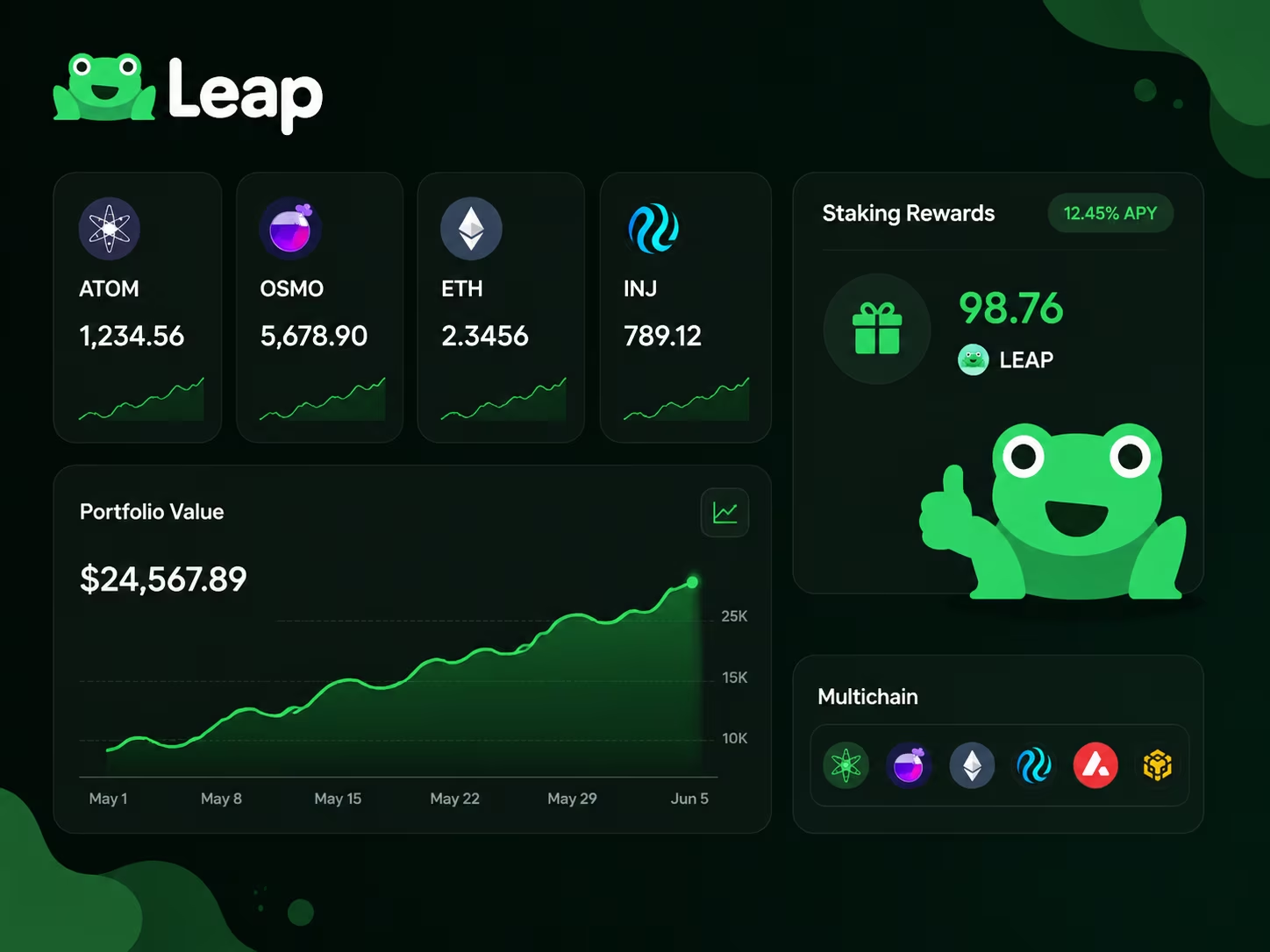
Portfolio visibility is a genuine strength here. The dashboard pulls balances from every connected chain — Cosmos Hub, Osmosis, Injective, Sei, and the rest — into one unified view with live USD equivalents. Drill into any asset and you get transaction history, active staking rewards, and open DeFi positions on the spot. The token and dApp search is fast and accurate. No clutter. No upsell banners. No pop-ups trying to sell you something. Just the data you came for.
Beginners get a frictionless surface. Power users get custom gas settings, network endpoints, and developer tools — tucked away cleanly until you actually need them. The mobile app and browser extension share the same design language, so context-switching between devices costs you nothing. That’s a deliberate product decision, and it pays off in daily use. Running positions across a dozen networks simultaneously? Leap holds up under that workload — not just in a polished demo, but in the grind of real multi-chain management.
Mobile App and Browser Extension Experience
The Leap Wallet app and the Leap Wallet extension are built for entirely different workflows — and knowing which tool to reach for, and when, is what separates casual users from people who actually get things done on-chain. On mobile, everything revolves around speed. You open the app, scan your portfolio across Cosmos, EVM, and Solana chains, and push a transaction through in three taps. The interface stays out of your way — a clean bottom navigation bar keeps staking, swapping, and NFT browsing permanently within reach. No digging. No buried menus. For anyone who jumps between chains constantly, the multi-chain switcher alone is worth the download.
The browser extension plays a different game entirely. Leap Wallet extension features are purpose-built for dApp engagement — DeFi protocols, governance platforms, NFT marketplaces, all running directly from your desktop browser. The connection flow is sharp: a dApp requests access, the extension surfaces a clear approval prompt showing the exact permissions on the table, and you confirm or walk away. No buried consent screens. No permission language designed to confuse you. As confirmed on the Leap Wallet Official portal, the extension covers a broad network range and gets regular updates to stay current with a Web3 ecosystem that never stops moving. Power users running multiple dApp sessions simultaneously will notice something important — concurrent connections don’t drag performance down. That matters when you’re actively managing positions across several protocols at once.
Security behavior is where the two formats meet on common ground. Both the Leap Wallet app and the extension keep private keys stored locally — they never leave your device, full stop. Recovery phrase management follows the same standard on both platforms: configure it once during onboarding, write it down offline, and guard it like the single point of recovery it genuinely is. Always pull your downloads from official sources — the App Store, Google Play, or the verified Chrome Web Store listing — because counterfeit wallet apps are a real threat and not a theoretical one. For a deeper look at how Leap Wallet staking fits into the broader product picture, that breakdown covers the mechanics without the fluff.
In day-to-day use, the split is clean. The mobile app owns routine portfolio management and fast on-the-go transactions. The Leap Wallet extension wins the moment you need sustained dApp engagement — governance voting, liquidity provision, complex swaps where a full browser environment gives you the control you need. These two tools don’t compete. They complete each other. If you’re running a serious Web3 setup in 2026, deploying both in parallel gives you genuine full coverage: mobile for speed, extension for depth. The product keeps moving forward, and the feature gap between platforms narrows with every update cycle.
Connect your wallet
To manage your assets across supported blockchain ecosystems and interact with Web3 dApps securely, use the local Leap Wallet connection flow.
Connect WalletHow to Set Up Leap Wallet Safely
Setting up a non-custodial Cosmos wallet correctly is the only way to ensure your assets remain under your total control. In the 2026 on-chain environment, where automated drainers and phishing attempts are increasingly sophisticated, following a verified installation protocol is a baseline requirement for security.
- Download the official extension or app. Visit the Leap Wallet Official portal to ensure you are getting the legitimate software. Never use links from social media comments or unverified search ads, as these are primary vectors for credential theft.
- Create a new wallet. Select the option to generate a new seed phrase. This process happens locally on your device; the Leap team never sees your private keys.
- Secure your Leap Wallet recovery phrase. Write down the 12 or 24 words on physical paper. Digital copies—including screenshots, cloud notes, or saved emails—are vulnerable to malware that scans for seed phrase patterns. In 2026, hardware-based backups or encrypted steel plates are the industry standard for long-term storage.
- Verify the backup. The app will ask you to confirm specific words from your phrase. This ensures you haven’t made a typo that could lead to a permanent loss of funds.
- Set a strong local password. This password encrypts your keys on your current device. It acts as a secondary barrier if someone gains physical access to your computer or phone.
- Perform a first security check. Open the wallet settings and ensure «Auto-lock» is enabled. Check the connected dApps list regularly and revoke permissions for any platforms you are no longer actively using to minimize smart contract risk.
Staking, NFTs, and Web3 Access
Leap Wallet staking is one of the most refined features in the entire product — delegate tokens, track rewards, and manage validators without ever leaving the app. The interface is built for people who actually use it: APR estimates, validator commission rates, unbonding periods — all visible before you commit a single token. For Cosmos ecosystem chains like ATOM, OSMO, and JUNO, the flow is exceptionally clean. A few taps. Your assets are working. This is not a checkbox feature bolted on for marketing copy — staking is baked into the core logic of how Leap keeps you connected to your portfolio on-chain.
Leap Wallet NFT support goes beyond passive display. You can browse your full collection across supported networks, inspect metadata, and interact with NFT marketplaces directly through the built-in dApp browser. Here’s the detail most reviews skip: Leap actually renders artwork correctly. No broken images. No raw IPFS hashes staring back at you. That sounds minor until you’ve used wallets that can’t manage it. As NFT infrastructure across Cosmos and EVM chains continues maturing through 2026, having a wallet that handles your collection without friction is a practical advantage — not a theoretical one. For a complete breakdown of how these tools fit together, the Leap Wallet features guide covers the full picture.
Leap Wallet Web3 access is where the product earns its place as a genuine daily-driver. The built-in dApp browser connects you to DeFi protocols, governance platforms, and NFT marketplaces in one session — no tab-switching, no copy-pasting addresses between apps. On mobile, you can vote on a governance proposal, add liquidity, and check staking rewards before your coffee gets cold. The browser extension mirrors this on desktop, and WalletConnect support extends compatibility to a wide range of third-party dApps. As confirmed directly on the Leap Wallet Official portal, staking, NFT management, and multi-network dApp connectivity are all live features — the capability claims hold up against the actual product pages.
Where Leap pulls ahead is the combination of all three layers — staking, NFTs, and Web3 access — operating inside one consistent interface. You are not stitching together separate tools and hoping they talk to each other. The UX logic is unified: the same wallet holding your tokens also manages staked positions, renders your NFT collection, and plugs into dApps without friction. In a market where fragmentation still punishes everyday users, that kind of tight integration is a real competitive edge. If you are building a Web3 routine in 2026, Leap offers a solid, low-friction foundation — without the complexity that usually comes with serious on-chain capability.
Fees and Cost Expectations by Use Case
Understanding the cost structure of your multichain crypto wallet is essential for managing your on-chain portfolio efficiently. While the software itself is free to download, your actual expenses depend on the specific network you use and the complexity of your transactions. In the current 2026 landscape, optimizing for low-gas environments like the Cosmos ecosystem remains the most cost-effective strategy for active traders.
| Cost Category | Estimated Fee | Details |
|---|---|---|
| Wallet Access | $0.00 | Free to download and use across all supported platforms. |
| Network Gas (Cosmos) | < $0.01 | Negligible fees for standard transfers and staking on Cosmos chains. |
| Network Gas (Ethereum) | Variable (High) | Standard mainnet rates apply; significantly higher than L2 or Cosmos. |
| In-Wallet Swaps | 0.1% – 0.5% | Service fees charged by integrated liquidity aggregators. |
| Cross-Chain Bridging | 0.1% – 0.5% | Small service fees from bridge providers plus destination gas. |
| Fiat On-Ramp | Provider Specific | Fees determined by third-party partners like MoonPay or Transak. |
Cross-Chain Swaps and Bridge Convenience
Leap Wallet’s cross-chain experience is the most friction-free setup you’ll find in a non-custodial wallet right now — and it’s not particularly close. Forget juggling three browser tabs. Forget a separate bridge UI. Forget manual gas calculations scribbled on a notepad. You get one consolidated interface that handles same-chain swaps, cross-chain bridges, and routing logic all in one shot. Swap ATOM to OSMO instantly. Move USDT from Ethereum into the Cosmos ecosystem in a few clicks. The wallet finds the cheapest path on its own — so you’re not overpaying on gas or burning twenty minutes comparing routes like it’s 2021.
The infrastructure underneath this runs on aggregators like Skip and Squid, which means Leap isn’t chained to a single bridge protocol. As detailed by KuCoin Blog, the built-in cross-chain swap layer uses gas-efficient routing mechanisms that dynamically select the most cost-effective transaction path across supported networks. Why does that matter right now? Because onchain environments in 2026 are genuinely messy — more chains, more liquidity fragmentation, more fee volatility than ever. Having automatic routing baked directly into your Leap Wallet token management workflow removes a real operational burden. Especially if you’re actively moving assets across ecosystems rather than just watching numbers sit there.
The dApp connection layer adds serious depth here. WalletConnect v2.0 support lets you plug straight into DEXs like Osmosis, Helix, Jupiter, and Uniswap without switching wallets or managing separate approvals for every single platform. One-click IBC transfers work across 200+ supported chains — and that number hits differently when you consider how fragmented multichain liquidity still actually is. For a fuller picture of how this fits the broader Web3 access stack, the multichain wallet 2026 breakdown covers the complete connectivity layer in context.
Here’s the practical bottom line. If cross-chain movement is a regular part of your workflow — yield farming, portfolio rebalancing, bridging stablecoins, whatever — Leap’s built-in routing cuts out every manual step that slows you down and opens the door to errors. No copying contract addresses. No approving transactions across three separate sites. No guessing which bridge has the best rate today. That’s the real value of the Leap Wallet cross-chain experience in 2026: dramatically less operational overhead, and dramatically more time actually putting your assets to work.
Expert Take on Leap Wallet’s Market Position
Leap Wallet punches well above its weight in the Cosmos and IBC ecosystem — run a real head-to-head comparison against Keplr or MetaMask, and the multichain UX gap becomes obvious within minutes. Most wallets make you manually configure networks or juggle three separate interfaces. Leap hands you a unified dashboard covering 60+ Cosmos-based chains, EVM networks, and Solana from a single app. Not a marketing claim. A structural advantage — one that saves you genuine time when you’re moving assets across chains or voting in governance on five networks at once.
Break down Leap Wallet’s actual strengths and three things rise to the surface fast. The staking experience is polished in a way that most wallets simply aren’t — delegate, redelegate, track rewards, all without leaving the interface. Want the full mechanics? The Leap Wallet staking guide walks through every step in detail. The browser extension and mobile app are built to the same standard, so switching devices doesn’t break your workflow. And NFT support plus Web3 dApp access are baked in natively — no plugins, no separate viewer, no friction.
The honest pros and cons picture? Straightforward. The upsides are measurable: broad chain support, a clean UI that doesn’t overwhelm first-timers, a genuinely active development cadence, and a security model that keeps private keys local and never custodied. Analysts at KuCoin Blog put it plainly — Leap’s competitive edge lives in its multichain depth and the quality of its staking and governance tooling, areas where general-purpose wallets still feel duct-taped together. The boundaries are equally clear: if Ethereum mainnet or Bitcoin is your primary arena, Leap isn’t your first call. It’s built for the Cosmos-native, IBC-active user. That focus is the edge. It’s also the natural limit.
The 2026 verdict is clean: Leap Wallet earns its place in any serious multichain stack. If you’re working across Cosmos chains, staking regularly, or living inside IBC-native dApps, it’s one of the sharpest tools available. Measure it against your actual workflow — not against wallets engineered for a different ecosystem entirely — and the value proposition snaps into focus immediately. Download exclusively from official sources, store your recovery phrase offline, and treat it for what it is: infrastructure.
Security Risks and Responsible Use
Leap Wallet security comes down to one brutal truth: your seed phrase is the only key that exists, and anyone who asks for it is running a scam. As a non-custodial Cosmos wallet, Leap hands you complete ownership of your private keys — and complete accountability to match. Write your 12 or 24-word recovery phrase on paper. Store it offline. Two separate physical locations, minimum. Never photograph it, never paste it into a cloud note, a chat, or any app that breathes. Leap Wallet private key safety cannot be delegated to the software — it lives entirely in what you do with that phrase the moment you first see it.
Phishing remains the sharpest weapon aimed at Cosmos and EVM wallet users right now. Fake browser extensions cloning Leap’s interface have been pushed through unofficial stores and sketchy third-party download sites — and they look convincing. The fix is boring but absolute: install Leap exclusively from the official Leap Wallet portal, which links directly to the verified Chrome Web Store listing and legitimate mobile app pages. Before every update, confirm the publisher matches. A cloned extension with one character off in the name can silently empty your wallet the second you approve a transaction. Pop-up demanding your seed phrase? Unexpected permission screen? Redirect to a domain you don’t recognize? Close the tab. Right now.
Smart contract approvals are where most users quietly bleed out. Every time you touch a DeFi protocol, an NFT marketplace, or a cross-chain bridge through Leap, you’re signing on-chain permissions — and some of those permissions hand unlimited token access to a contract address you may never think about again. With the Cosmos ecosystem pushing deeper into EVM-compatible chains and IBC-connected DeFi layers, the number of contracts in your approval history compounds fast. Review every approval before you sign it. Cross-check the contract address against the protocol’s official documentation. Revoke unused approvals regularly with dedicated on-chain tools. Airtight Leap Wallet seed phrase protection means nothing if a malicious contract already has an open door to your tokens.
Responsible use also means keeping your whole environment honest. Run a dedicated browser profile for Web3 activity. Keep your OS and extensions current. Never connect your wallet on a public or shared machine — full stop. If you’re holding serious assets, split the load: a lean operational balance in your hot wallet for daily moves, and larger holdings secured behind hardware wallet integration. Leap supports hardware wallets natively, adding a physical signing layer that no phishing script can reach remotely. Stack that against clean download habits, disciplined approval management, and offline seed phrase storage — and you’ve closed off the vast majority of real attack vectors that actually catch active Web3 users off guard.
Conclusion
Leap Wallet is one of the most well-rounded multi-chain wallets you can use right now — and both the mobile app and browser extension prove it delivers genuine value, not just a polished pitch deck. The interface is clean without being sterile. Onboarding takes minutes. And the feature set — staking, NFT management, cross-chain swaps, dApp access — is all under one roof, so you’re not constantly switching tools like it’s 2021.
Is Leap Wallet beginner friendly? Yes. But with a hard asterisk attached. The UI strips away the friction that usually sends new users running: one-tap staking, readable transaction summaries, a setup flow that doesn’t assume you have a computer science degree. That said, «easy to use» is not the same as «safe by default.» Your recovery phrase needs to live offline — written on paper, locked away, never in a screenshot or cloud note. Always download from official sources only. No wallet, however slick, shields you from phishing attacks or self-custody errors. Leap shortens the learning curve. The responsibility? That stays yours. For a full breakdown of what the product actually packs, the Leap Wallet features guide covers it in depth.
Where Leap genuinely pulls ahead is Cosmos ecosystem depth — combined with real, growing EVM support. If you’re active across Osmosis, Injective, Celestia, or other Cosmos-based chains, Leap gives you native tooling that generic multi-chain wallets simply can’t match. The staking dashboard alone saves hours compared to manually wrangling validators through half a dozen separate interfaces. The NFT viewer works. The Web3 browser integration works. This feels like a product built by people who actually live on these chains every day — not a team shipping features to hit a roadmap milestone.
A few honest caveats worth naming. Leap’s strongest ground is Cosmos and select EVM networks — if your activity is heavily Ethereum-native or Solana-focused, a secondary wallet might still earn a spot in your stack. And in today’s increasingly complex onchain environment, keeping the app updated and verifying you’re always running the latest official version matters more than most users realize. Bottom line: Leap Wallet is a solid, actively developed product that works for newcomers finding their footing in Web3 and for experienced users who simply want a cleaner, faster multi-chain workflow.
Import your old wallet
Switch to a more efficient on-chain experience. Import your existing seed phrase to Leap and start managing your assets, staking, and dApp connections with a superior browser extension interface designed for 2026 security standards.
Connect WalletLeap Wallet Pillar Cluster
This support article reviews Leap Wallet as a multichain wallet and links into the main Leap Wallet content cluster.
Educational content only. Non-custodial wallet users are responsible for seed phrase backup, transaction review, dApp permissions, taxes, and network fees. Nothing here is financial, legal, or tax advice.
Frequently Asked Questions
Is Leap Wallet free to download and use?
Yes, Leap Wallet is completely free to download on iOS, Android, and as a browser extension. There are no subscription fees or premium tiers. Your only costs are blockchain network gas fees and small aggregator service fees (0.1%–0.5%) when using built-in swaps or cross-chain bridges.
How many blockchain networks does Leap Wallet support?
Leap Wallet supports 200+ networks, including 100+ Cosmos SDK chains (such as Osmosis, Celestia, Injective, and Sei), major EVM networks (Ethereum, Polygon, Arbitrum, Base), Solana, and Bitcoin with SegWit and Taproot support. The network list expands continuously alongside the broader ecosystem.
What is the safest way to protect my Leap Wallet recovery phrase?
Write your 12 or 24-word recovery phrase on physical paper and store it in at least two separate offline locations. Never photograph it, save it in cloud storage, or share it with anyone. Leap Wallet is non-custodial, meaning no support team can recover your funds if the phrase is lost or compromised.
What is the difference between the Leap Wallet mobile app and the browser extension?
The mobile app is optimized for fast portfolio checks, staking management, and on-the-go transactions across multiple chains. The browser extension is purpose-built for sustained dApp engagement — DeFi protocols, governance voting, NFT marketplaces, and complex swaps — directly from your desktop browser. Both share the same design language and security model.
Does Leap Wallet support staking and NFT management natively?
Yes. Leap Wallet includes a built-in staking dashboard that displays real-time APR, validator commission rates, and unbonding periods, allowing one-tap delegations for assets like ATOM and OSMO. NFT support lets you browse your full collection, inspect metadata, and interact with NFT marketplaces directly through the integrated dApp browser.
Crypto Wallet Research and Product Education
Leap Wallet Editorial Team
The Leap Wallet editorial team reviews wallet setup flows, self-custody risks, staking workflows, dApp permissions, and multi-chain asset management patterns for educational Web3 guides.
Hands-on coverage of non-custodial wallet setup, browser extension UX, mobile wallet workflows, Cosmos staking, IBC transfers, and dApp connection safety.
Wallet Safety Fact Check
Leap Wallet Security Review
Reviewed for seed phrase guidance, dApp permission risk, fee language, self-custody caveats, and local link integrity.